【🌿 持续更新】瞧瞧我在Win系统上干了些什么!
Device Intro
本文记录我在 Windows 系统设备上的配置经验,涵盖硬件选型、系统配置、开发环境搭建等内容,按功能分类整理便于查阅。
设备概览
ITX-Win
- 硬件:个人小型 ITX 办公主机(详见硬件配置章节)
- 系统:Windows 11 Pro + WSL Ubuntu 22.04.5 LTS
- 用途:主力开发机、博客部署、日常办公
TB-Win
- 硬件:Thinkbook 16+ 笔记本
- 系统:Windows 11 Pro
- 用途:移动办公、会议演示
硬件配置
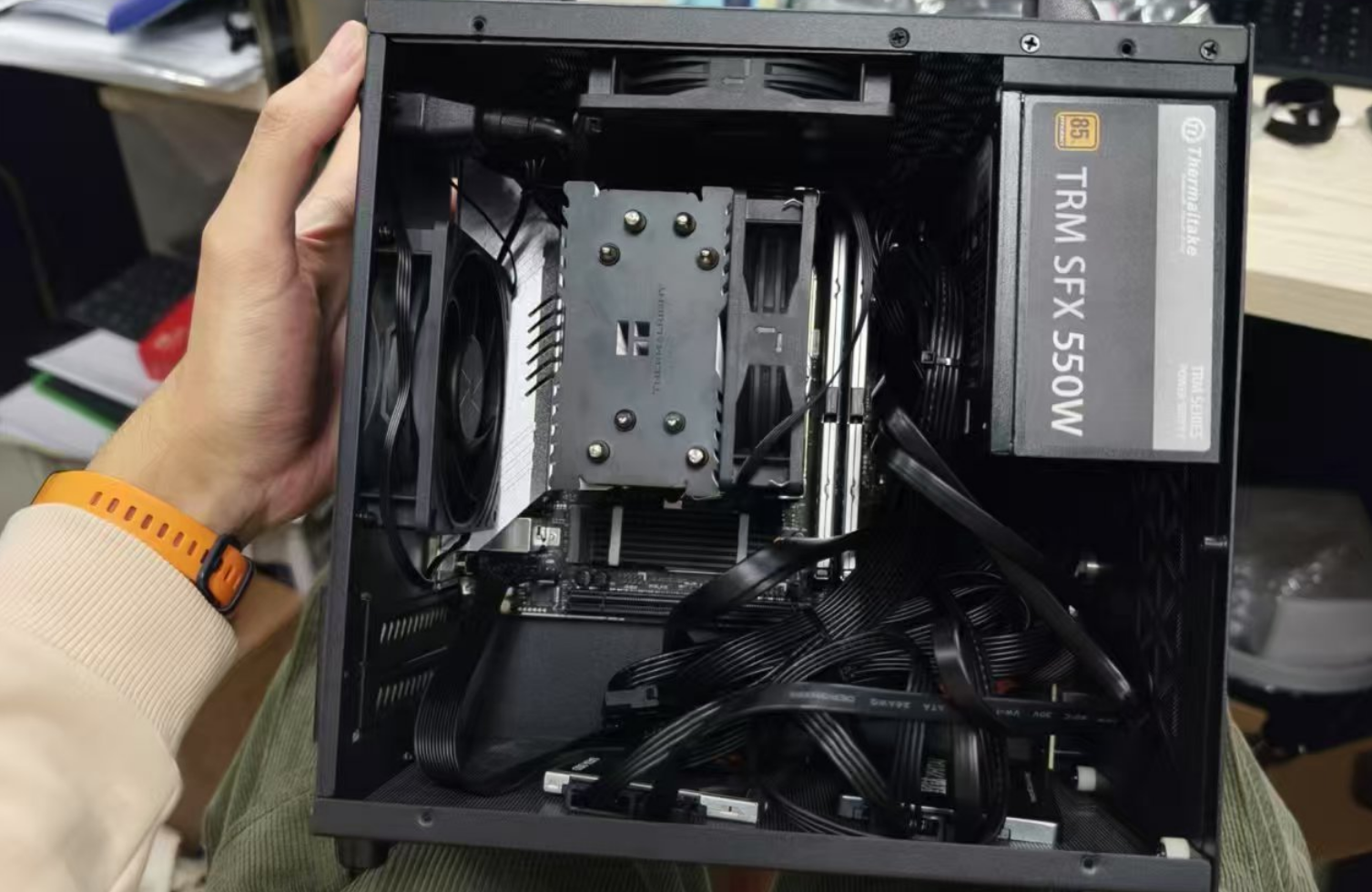
ITX 主机硬件清单
2024.12.18 - 教研室工位的电脑用起来受限,决定自己配一台小主机。
| 类型 | 详细配置 |
|---|---|
| 主板 | 铭瑄 B760 ITX |
| CPU | Intel Core I5-12400 |
| GPU | 核显: Intel UHD Graphics 730 |
| 内存 | DDR4 64GB 3600 (金百达 32GB × 2) |
| 存储 | 英睿达 P3 PLUS 1TB / HITAI SC001 Active 1TB KIOXIA 480GB / Maxsun 512GB |
| 电源 | TT 550W |
| 散热 | 利民 GX90SE V2 (CPU) / 利民 LT-09 × 2 (机箱) |
| 机箱 | 机械大师 G60 |
| 系统 | Windows 11 Pro |
系统配置
Windows 11 系统优化
管理员权限快速启动
快捷键:Ctrl + Shift + 鼠标左键
- 适用于任何应用程序图标
- 快速以管理员身份运行程序
开发环境配置
Git SSH 配置与代理
问题描述
2025.08.27 - 这个问题出现过很多次了
当使用 Git SSH 方式推送代码时,经常遇到连接超时错误:
1 | |
解决方案:SSH 代理配置
由于 GitHub 仓库使用 git@ SSH 方式连接,需要为 Git 配置 SSH 网络代理。使用 connect-proxy 工具通过 SOCKS5 代理转发 SSH 连接。
配置文件:C:\Users\[username]\.ssh\config
1 | |
配置说明:
HostName ssh.github.com:使用 GitHub 的 SSH 服务器Port 443:使用 HTTPS 端口避免防火墙阻拦ProxyCommand:通过本地 SOCKS5 代理 (7890端口) 转发连接
【🌿 持续更新】瞧瞧我在Win系统上干了些什么!
https://blog.cosmicdusty.cc/post/Tools/Working-With-Win/